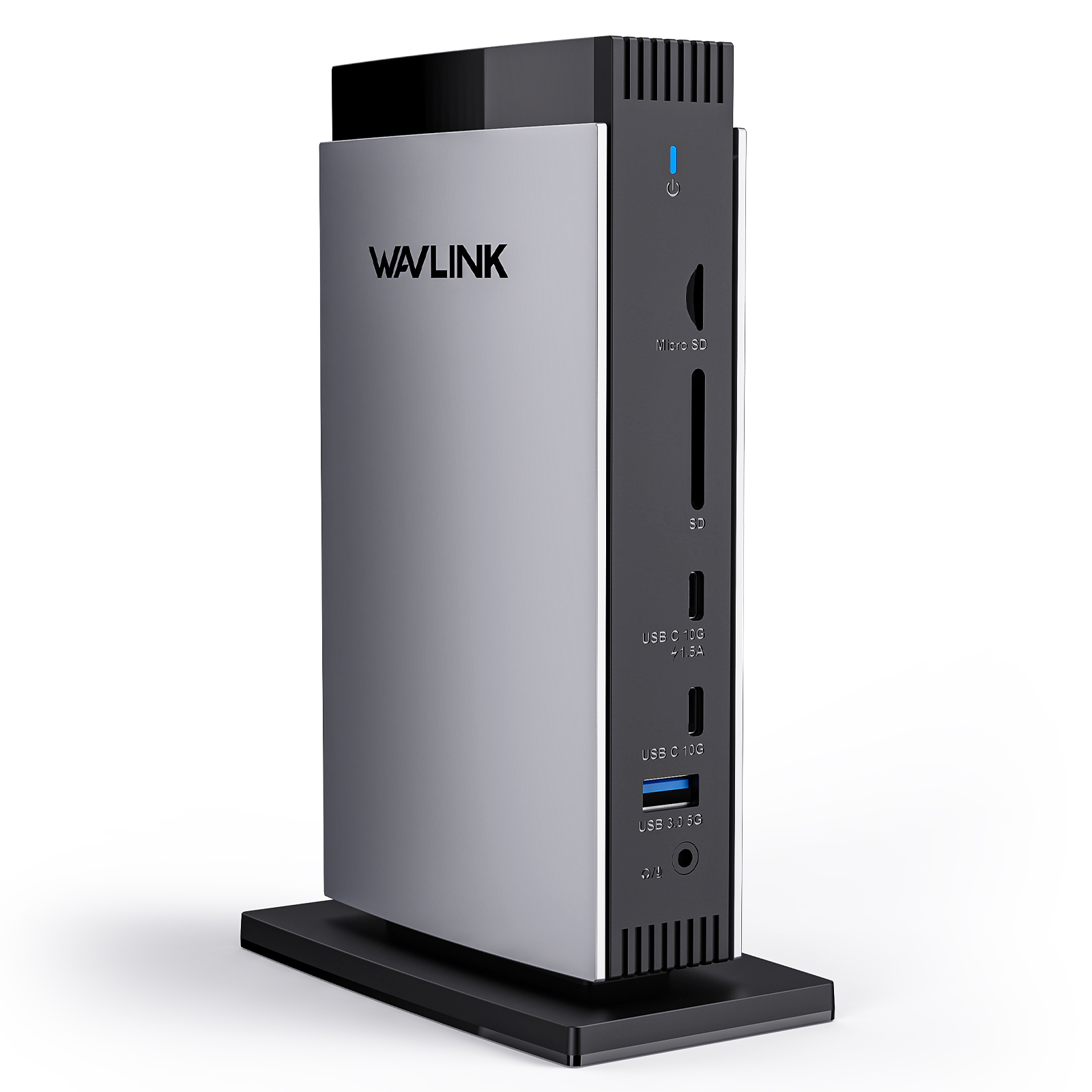
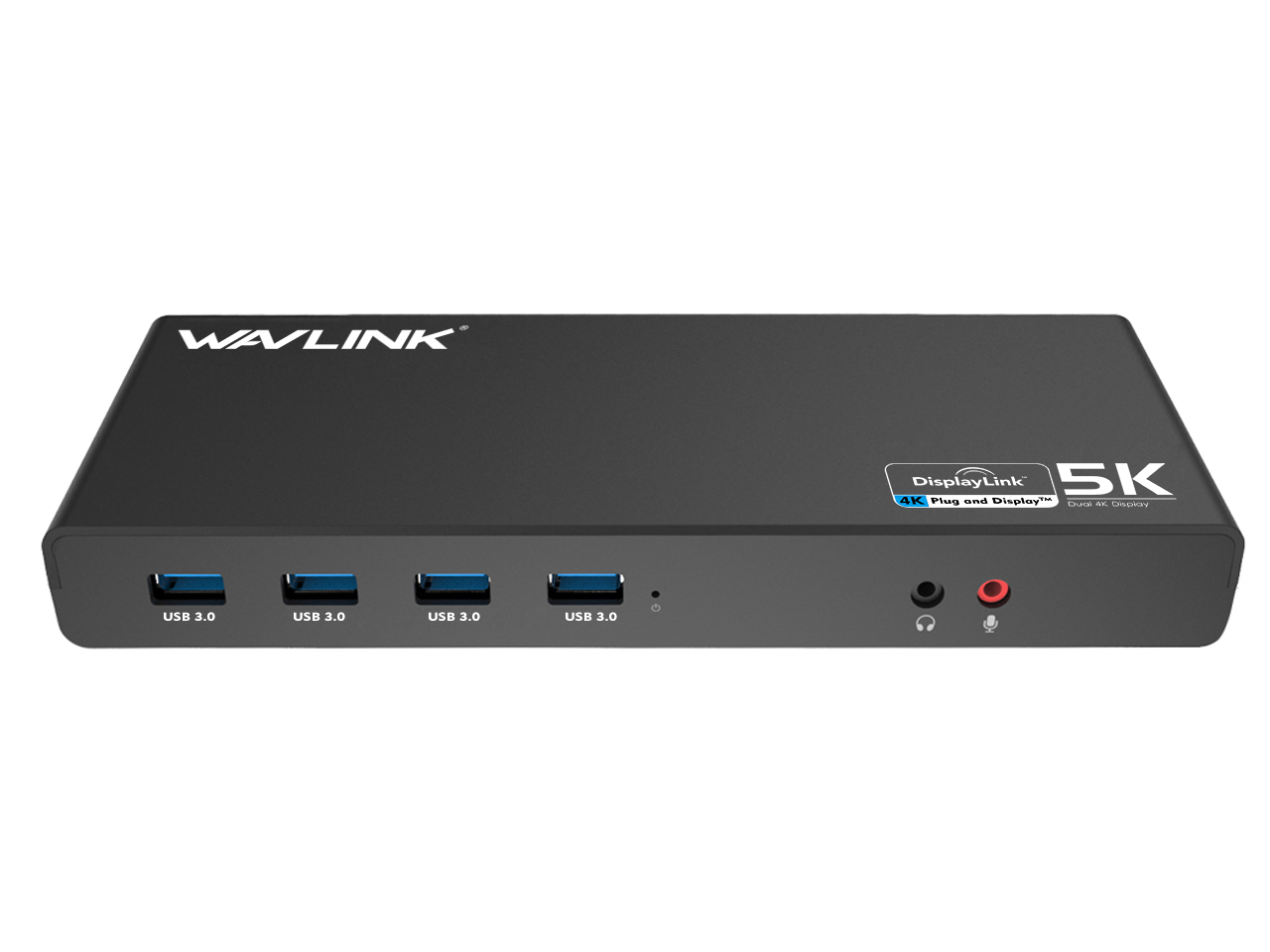
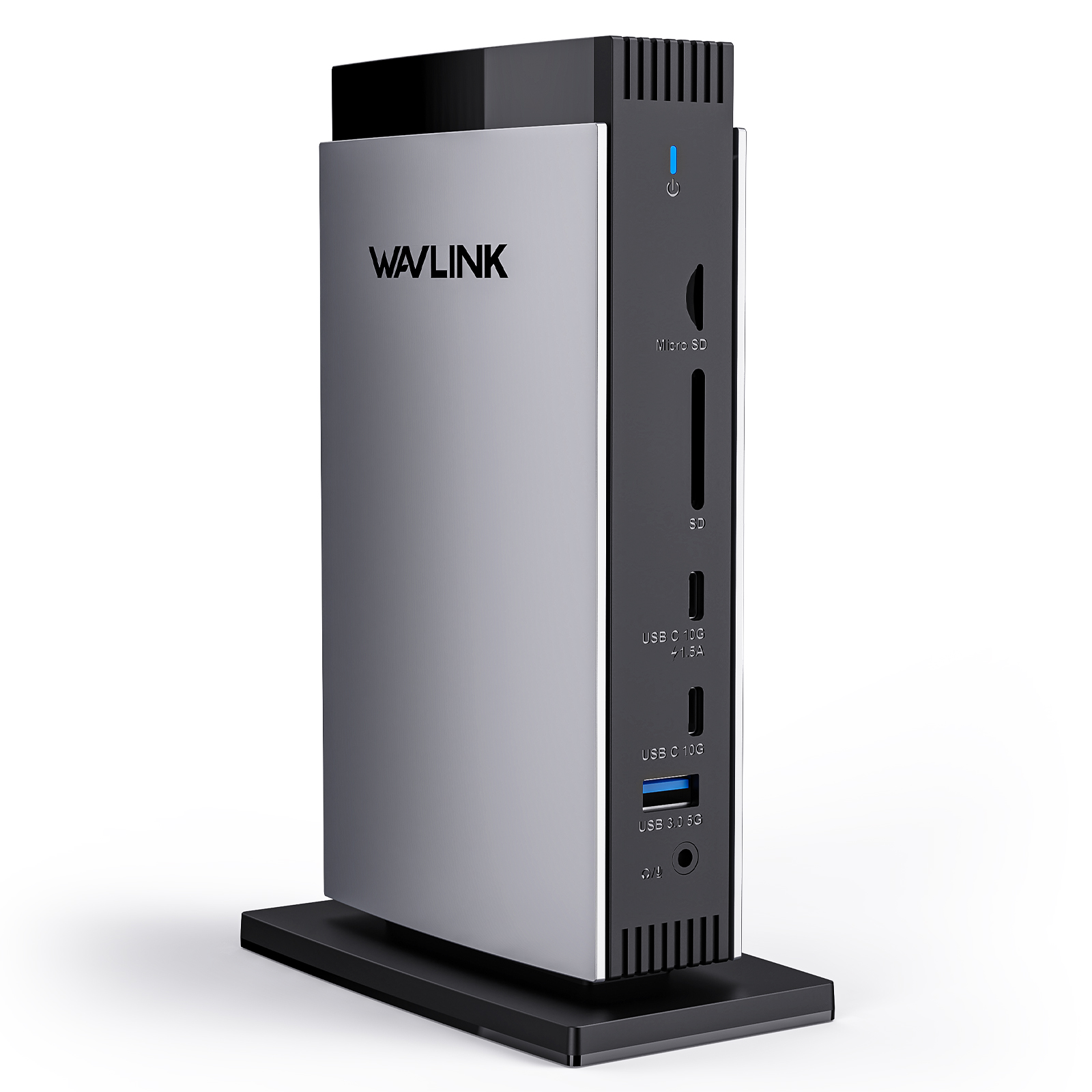
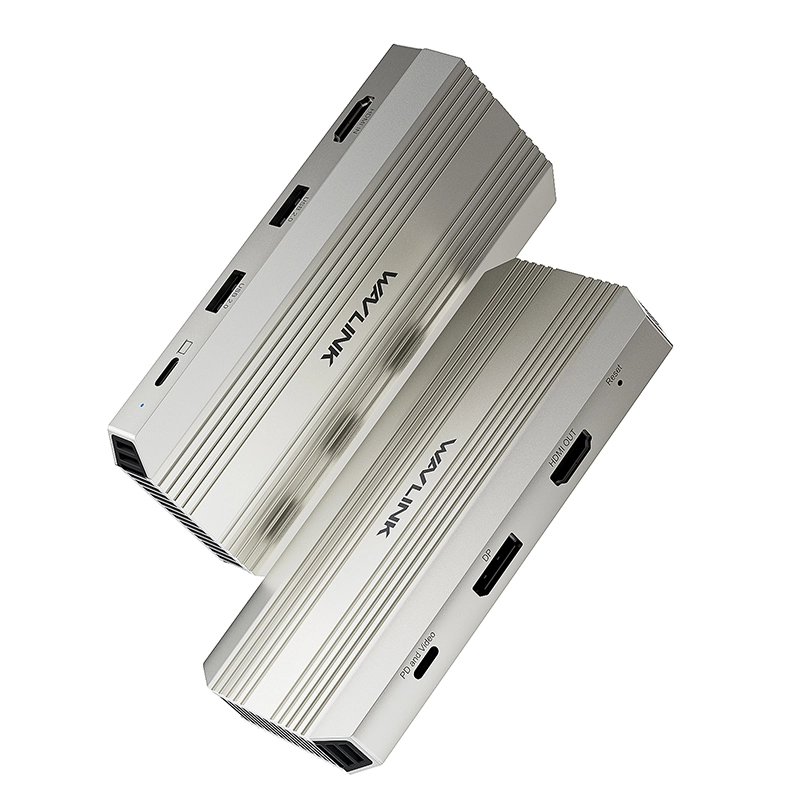
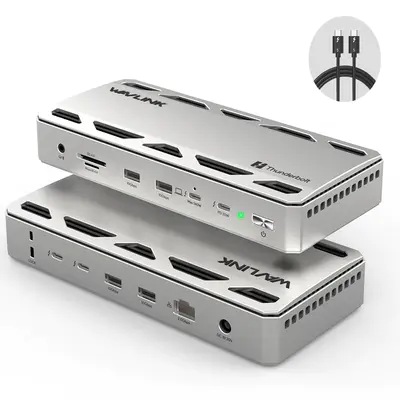
Thunderbolt 4 13-in-1 Docking Station - WAVLINK UTD45

Single 8K, Triple 4K Display, 13 In 1 Laptop Dock for TBT 4/3 Mac & TBT 4 Windows PC, 40 Gbps with Max 96W Charging for Laptop with 2.5G RJ45

$199.00 Price drop reminder
  • Product Code: WL-UTD45-EU
  • Availability: 190

power plug
EU PLUG
US PLUG
UK PLUG
AU PLUG
Total $199.00
Convenient payment
Trusted-Delivery
Fast Delivery
Multi-warehouse direct hair fast delivery

Exquisite service
Exquisite service after-sale guarantee
Hassle-free return
Shop with confidence, worry-free refund

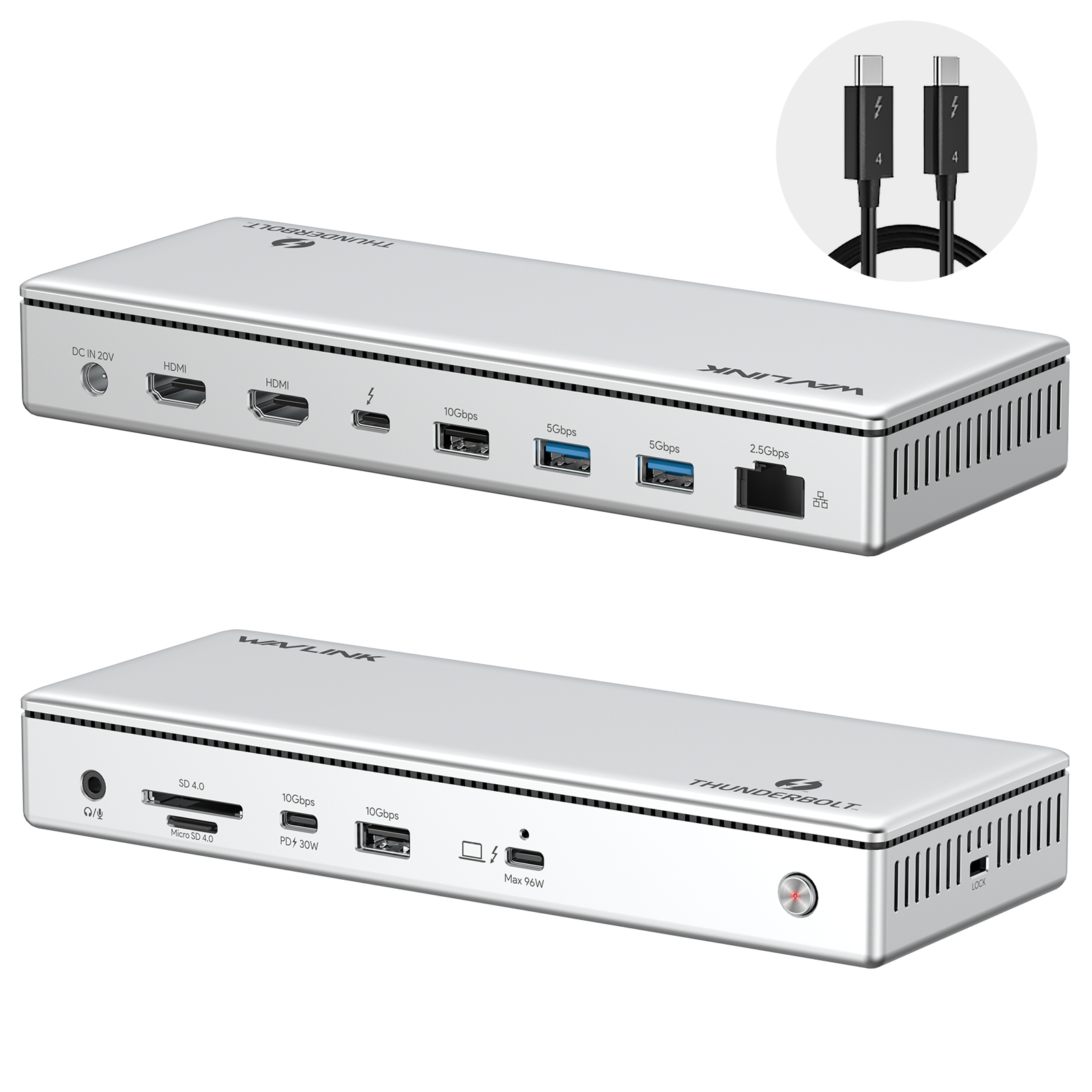
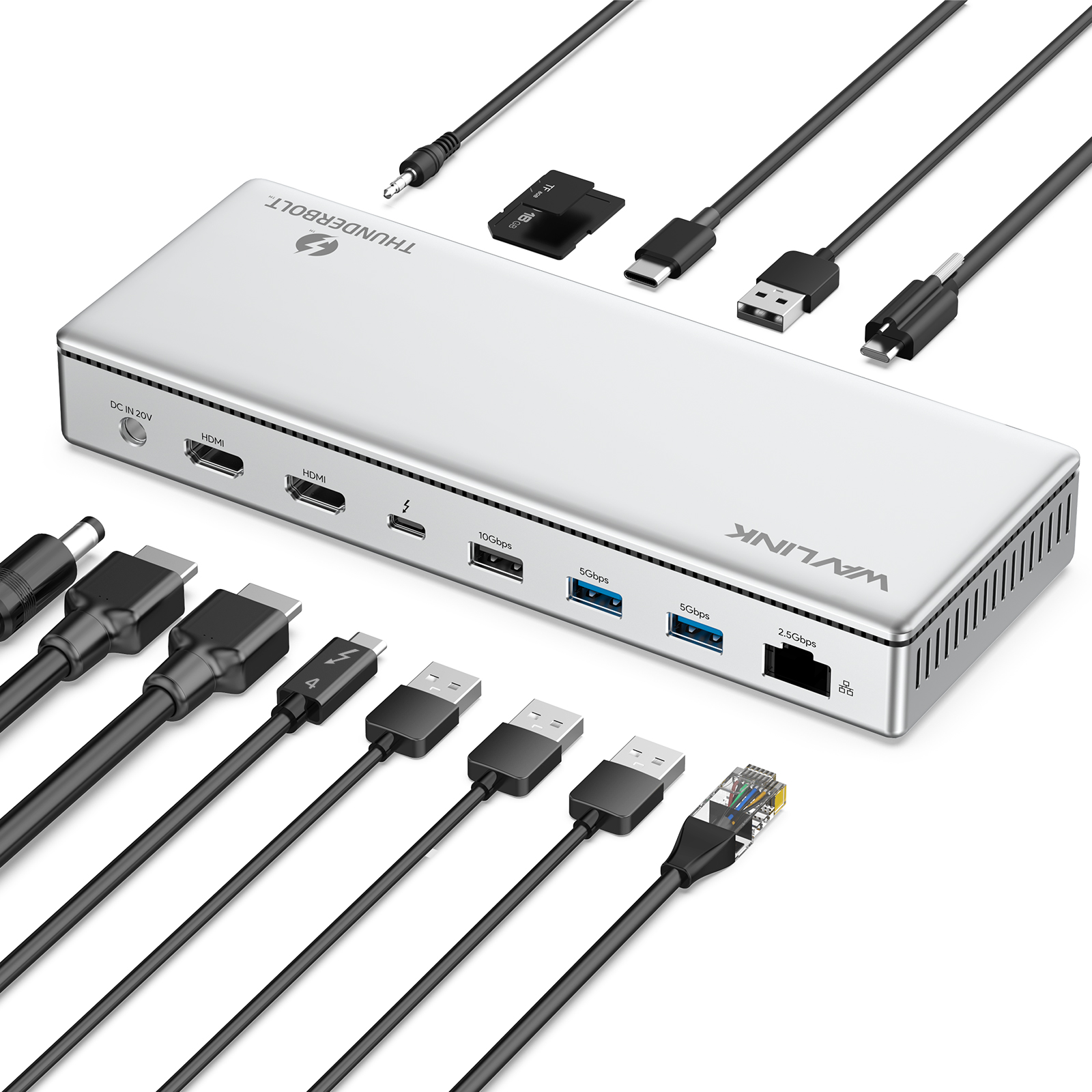
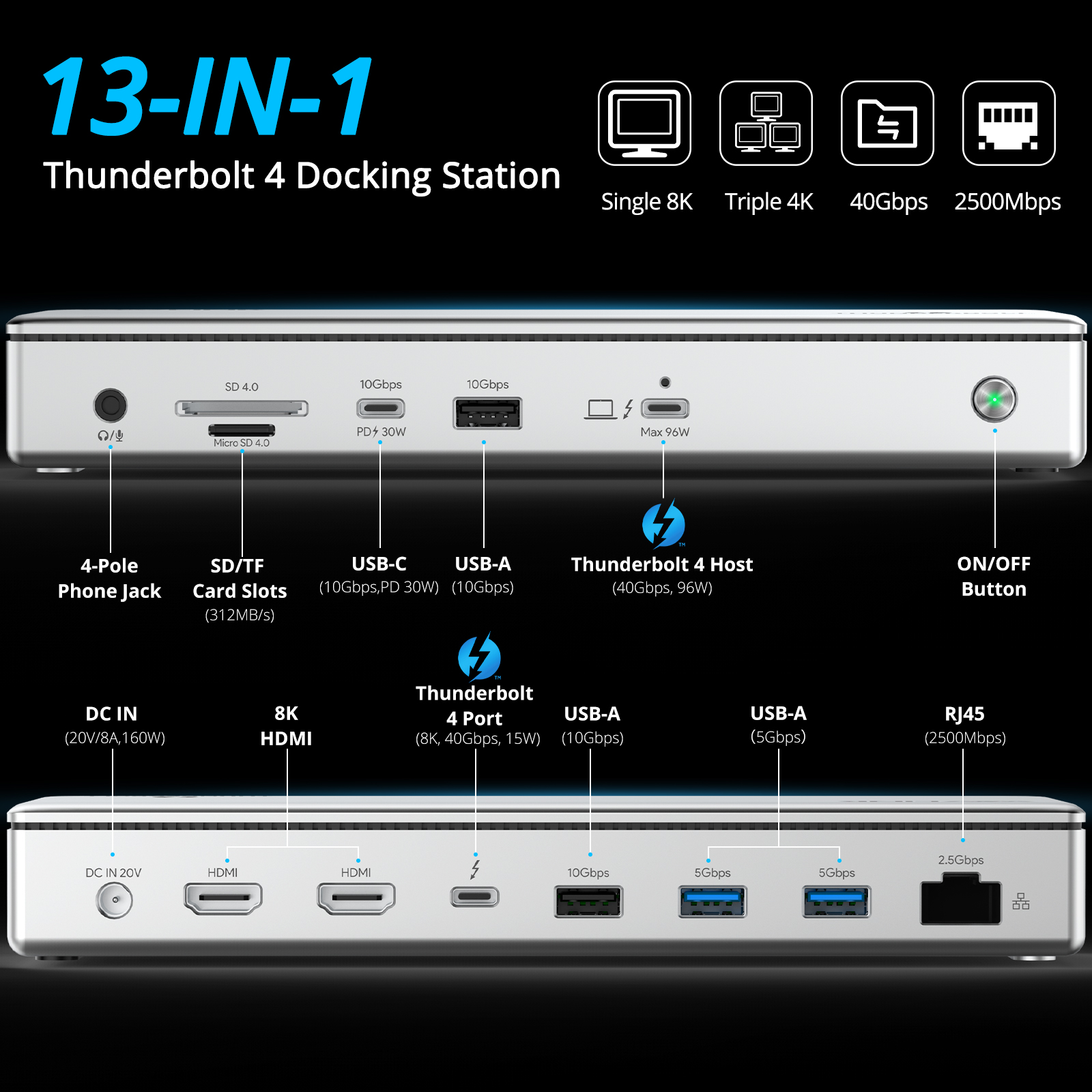
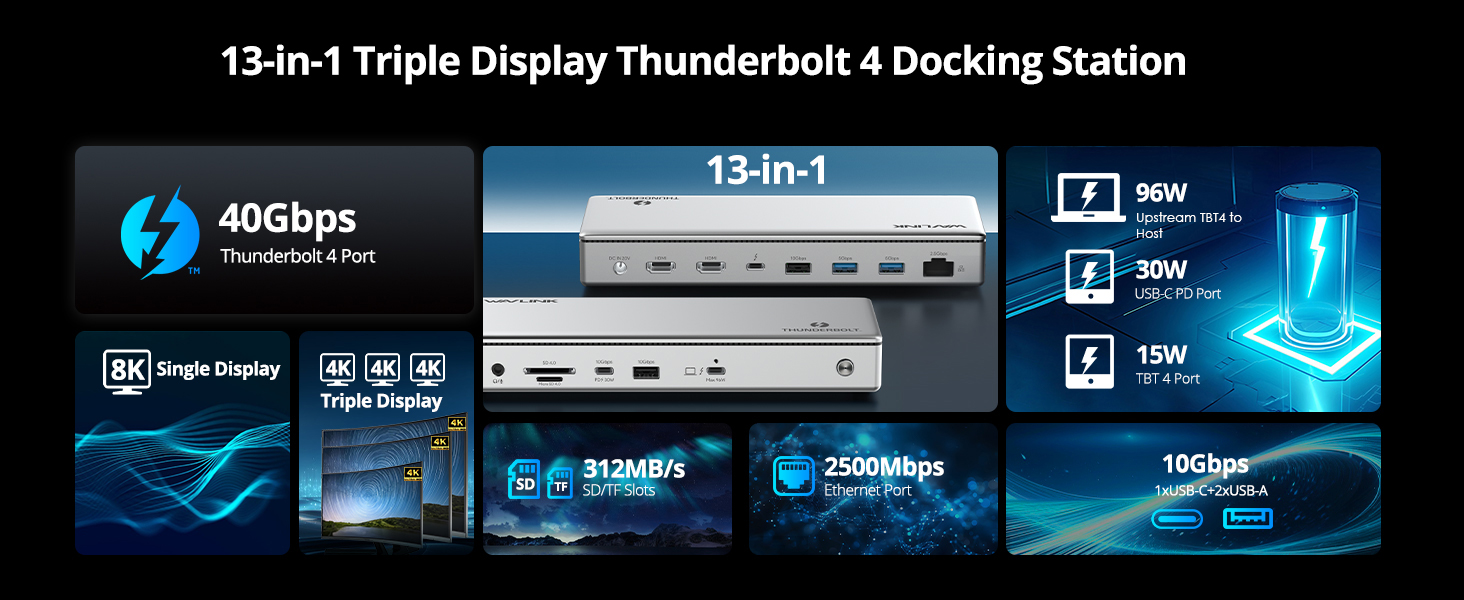
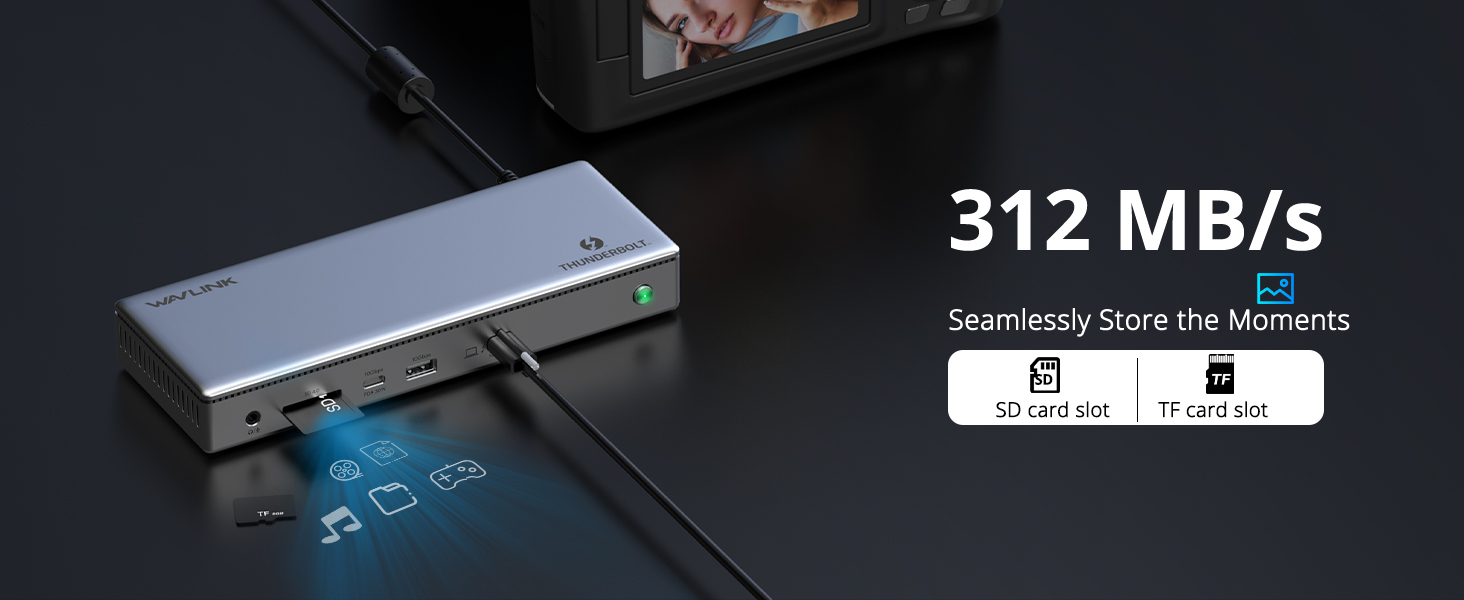
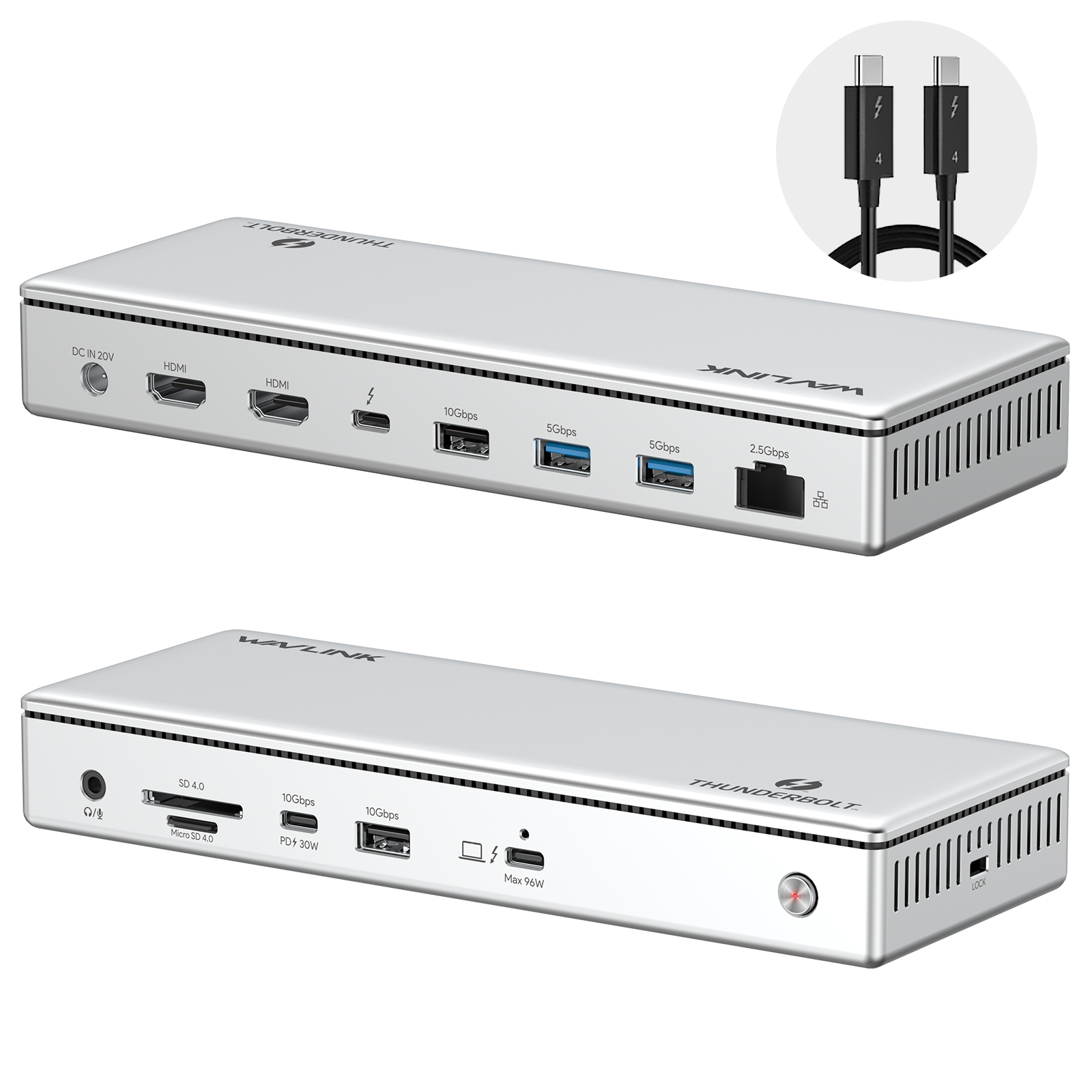
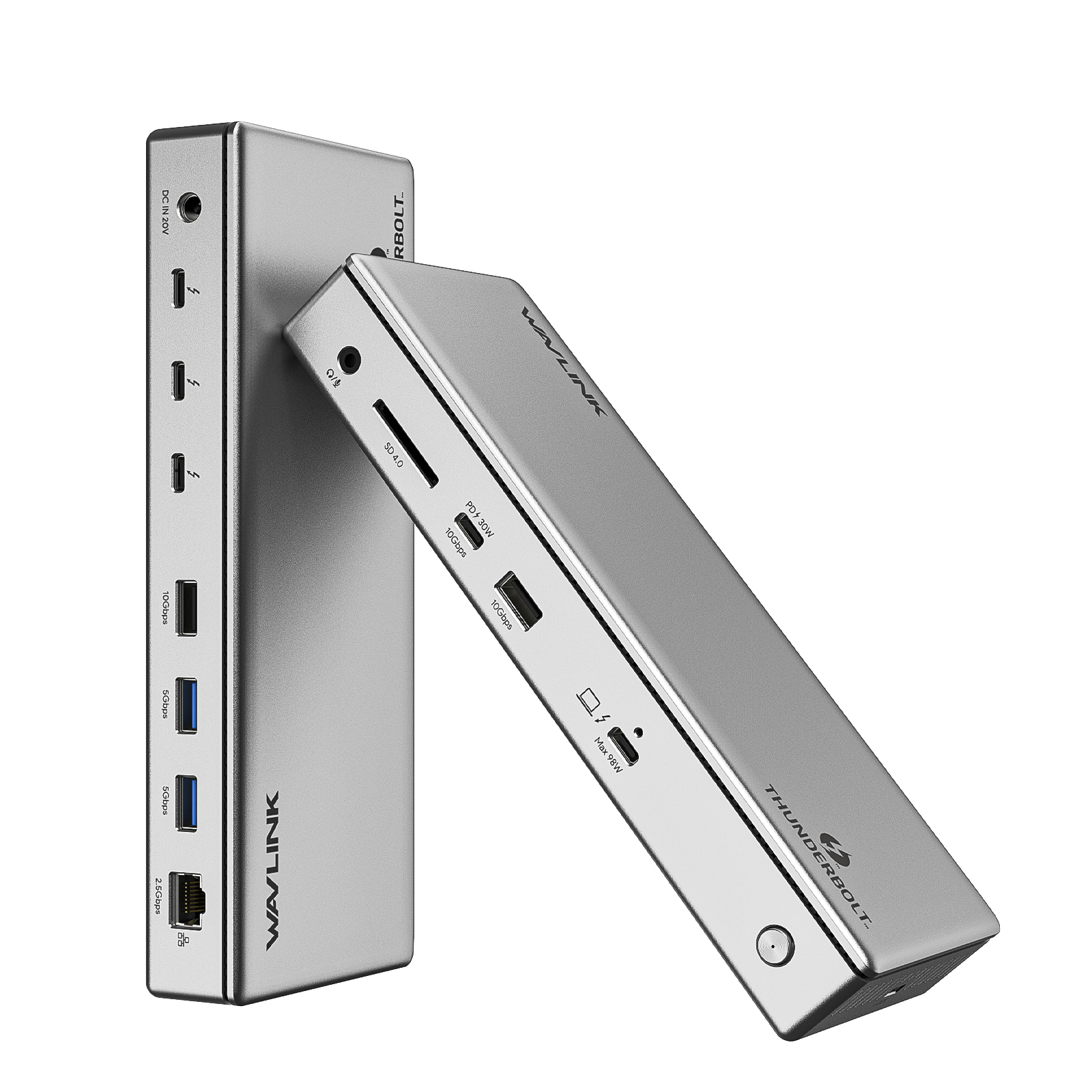
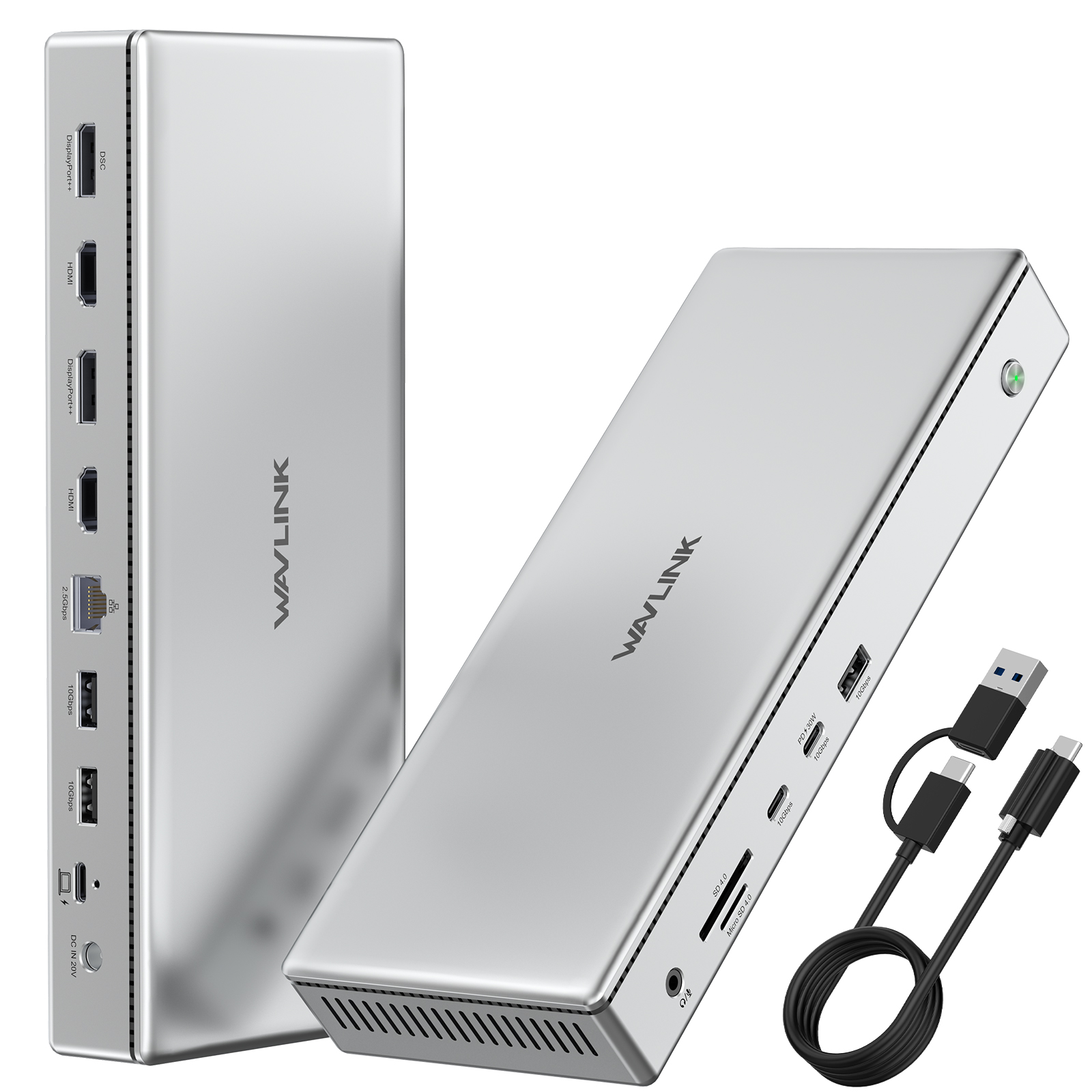
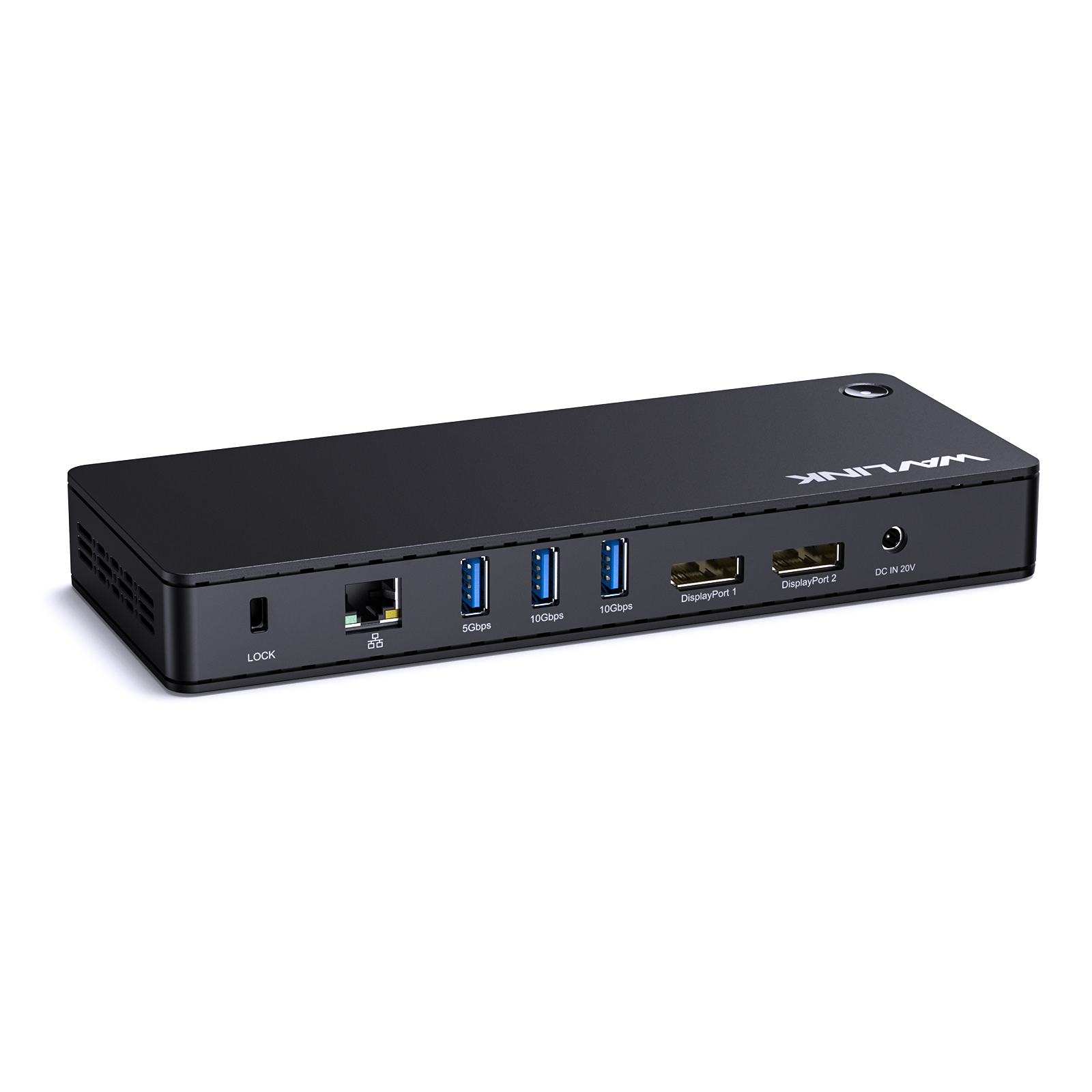
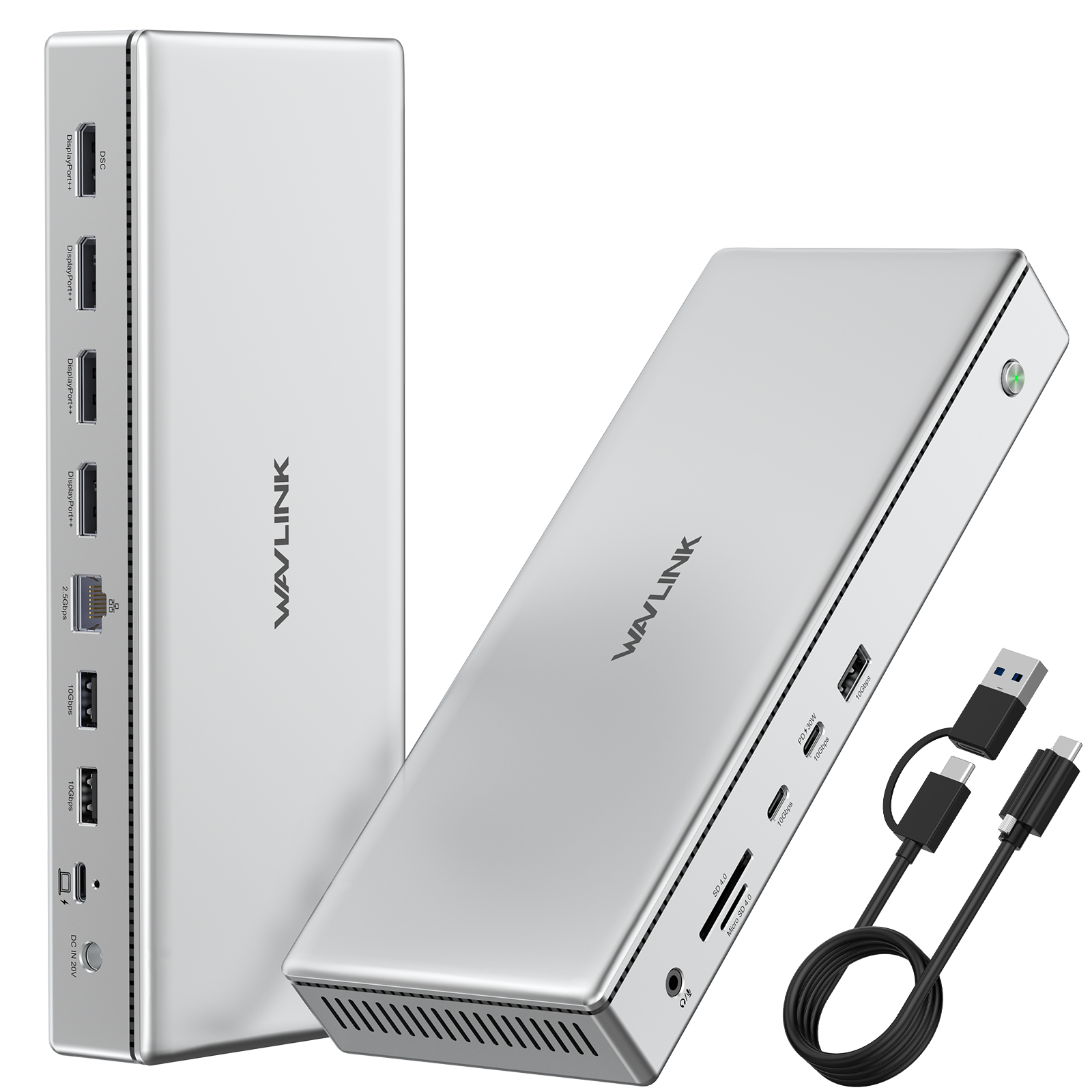
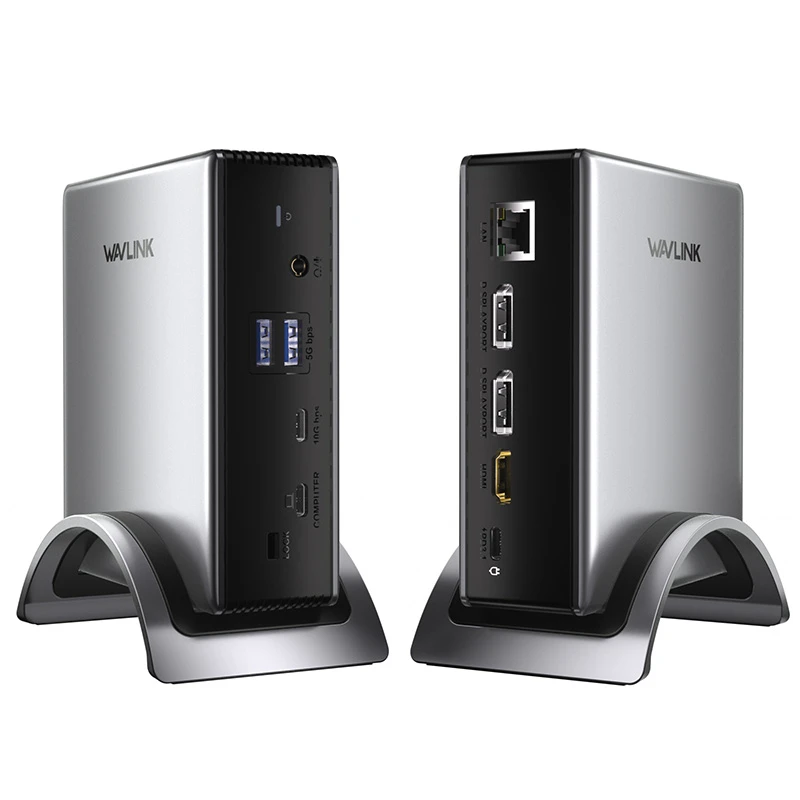
The WAVLINK UTD45 is a Thunderbolt 4 13-in-1 docking station with 40Gbps bandwidth, triple 4K display support, and 96W laptop charging. With 2.5GbE Ethernet, 10Gbps USB ports, SD/TF card reader, and a 160W power adapter that keeps every port running at full performance, it's built for professionals who push their workstation to the limit.

Thunderbolt 4 — 40Gbps, One Cable to Everything

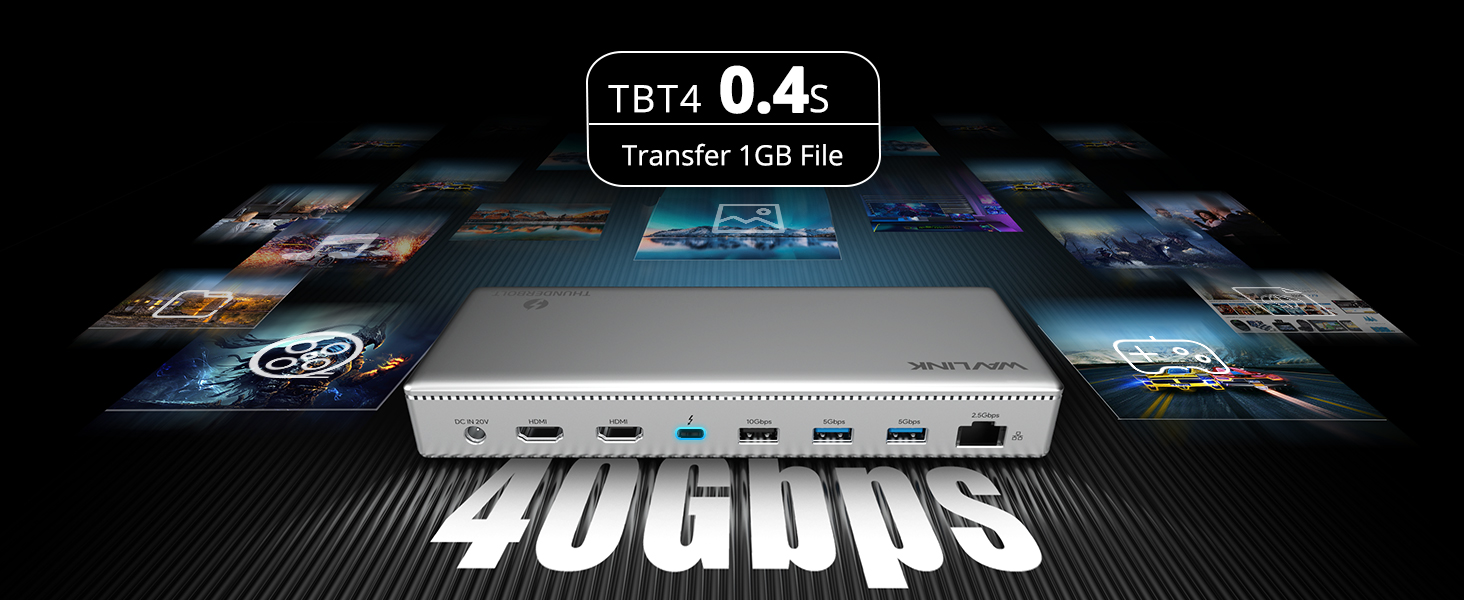
Thunderbolt 4 delivers four times the bandwidth of standard USB-C. Connect your laptop via a single Thunderbolt 4 cable and get simultaneous access to triple 4K displays, 10Gbps USB ports, 2.5GbE wired networking, SD/TF card readers, audio, and 96W charging — all without bandwidth bottlenecks or display flicker. Ideal for video editors, developers, financial analysts, and anyone running a multi-monitor workstation.

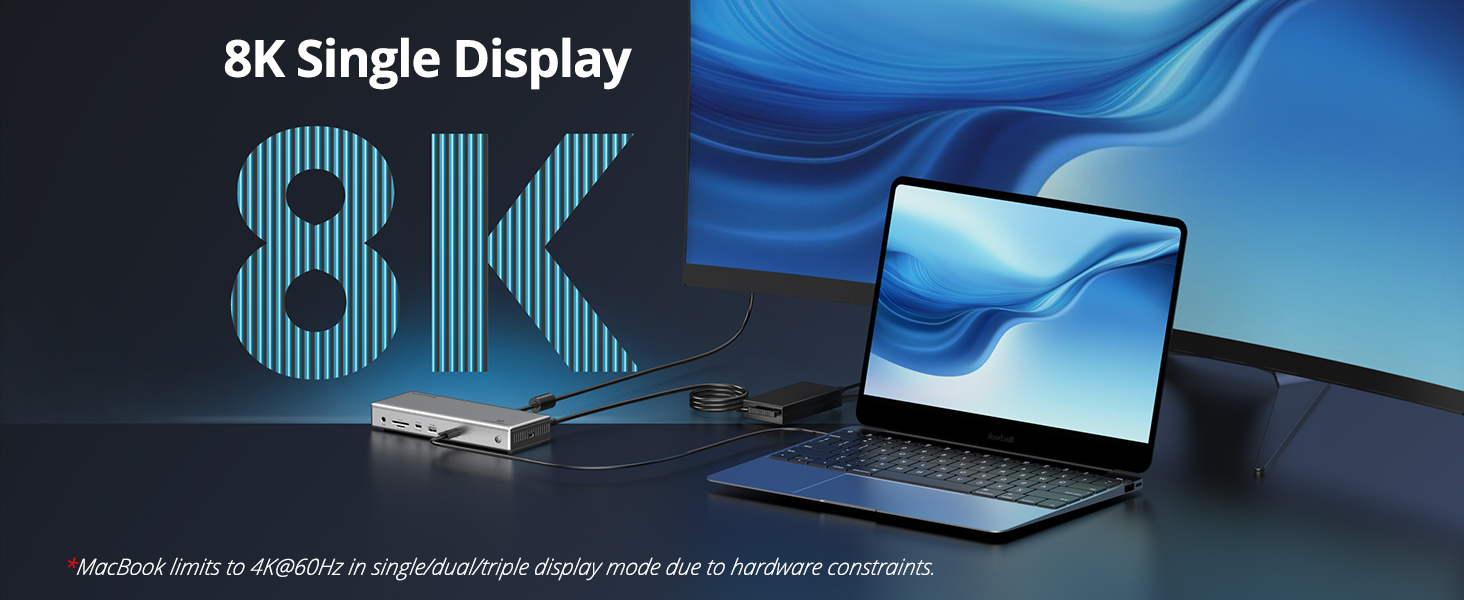
Triple 4K Displays — Up to 8K Single

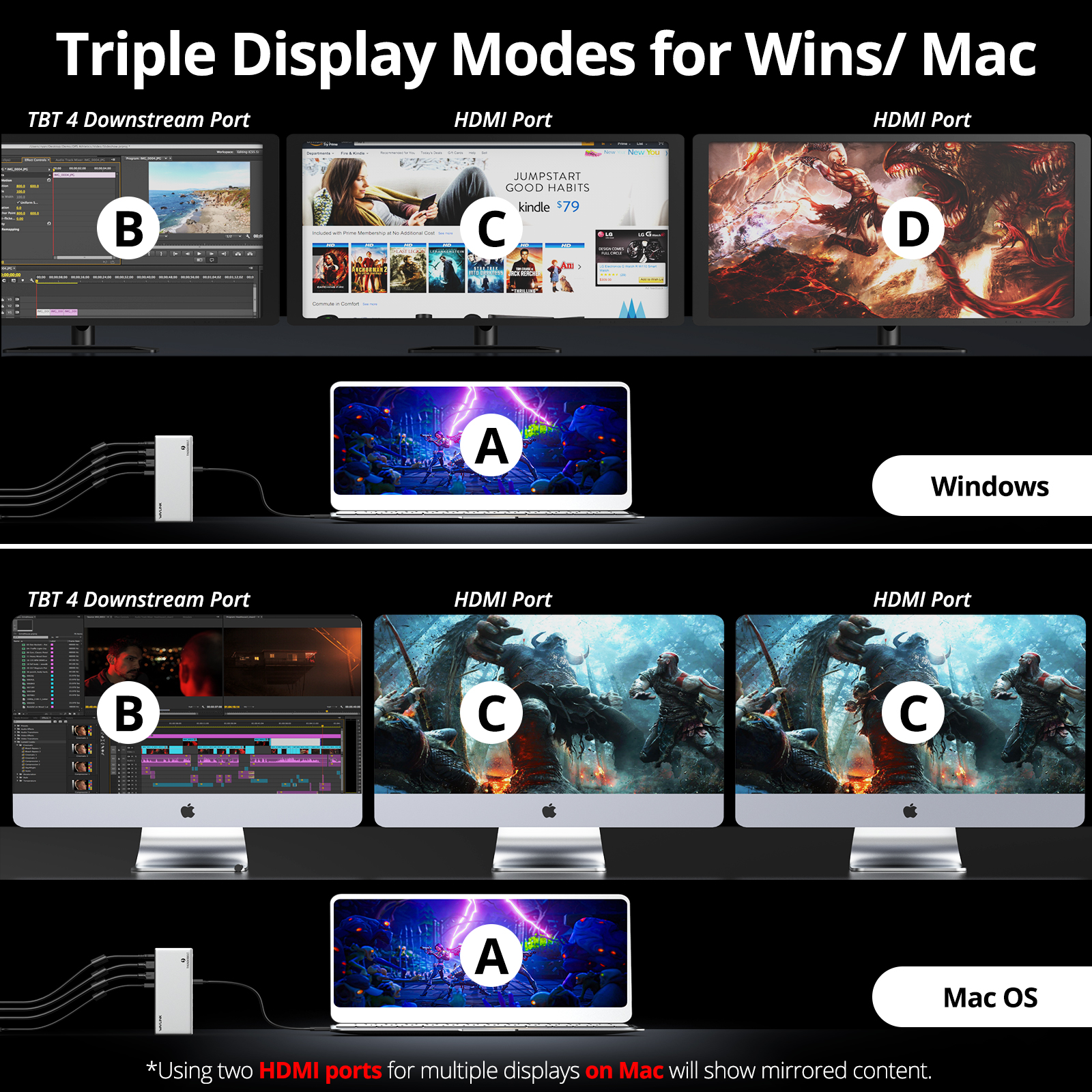
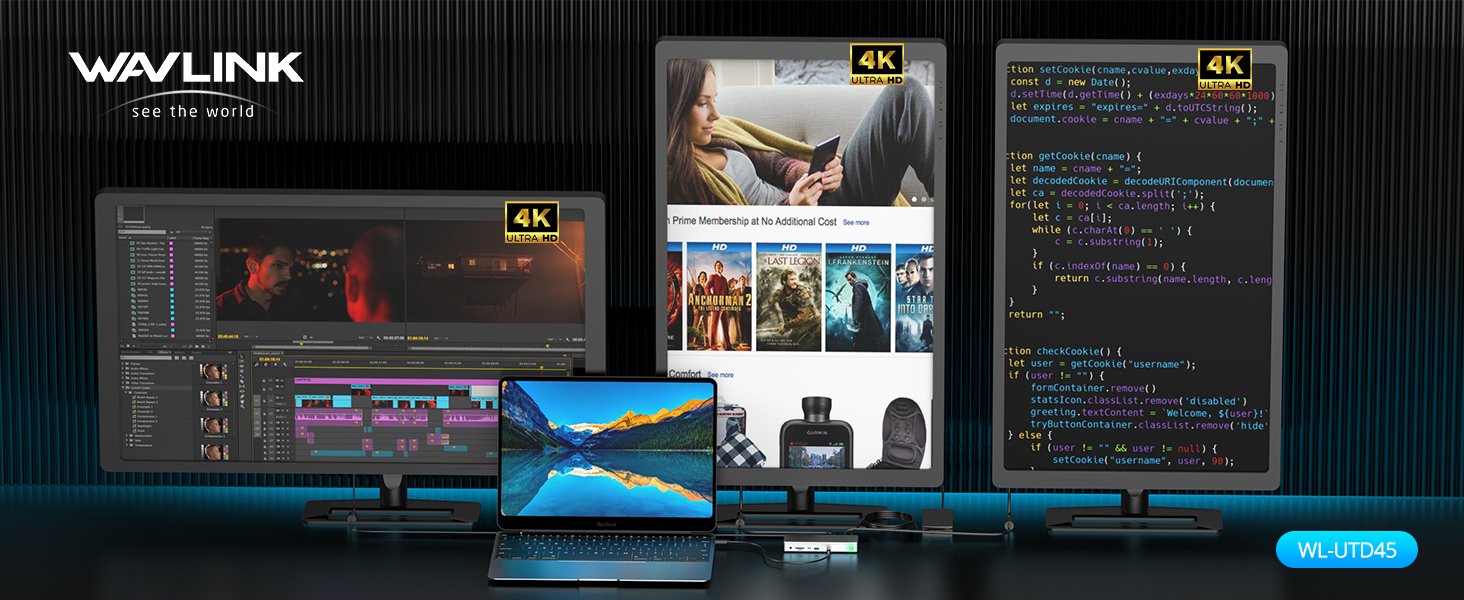
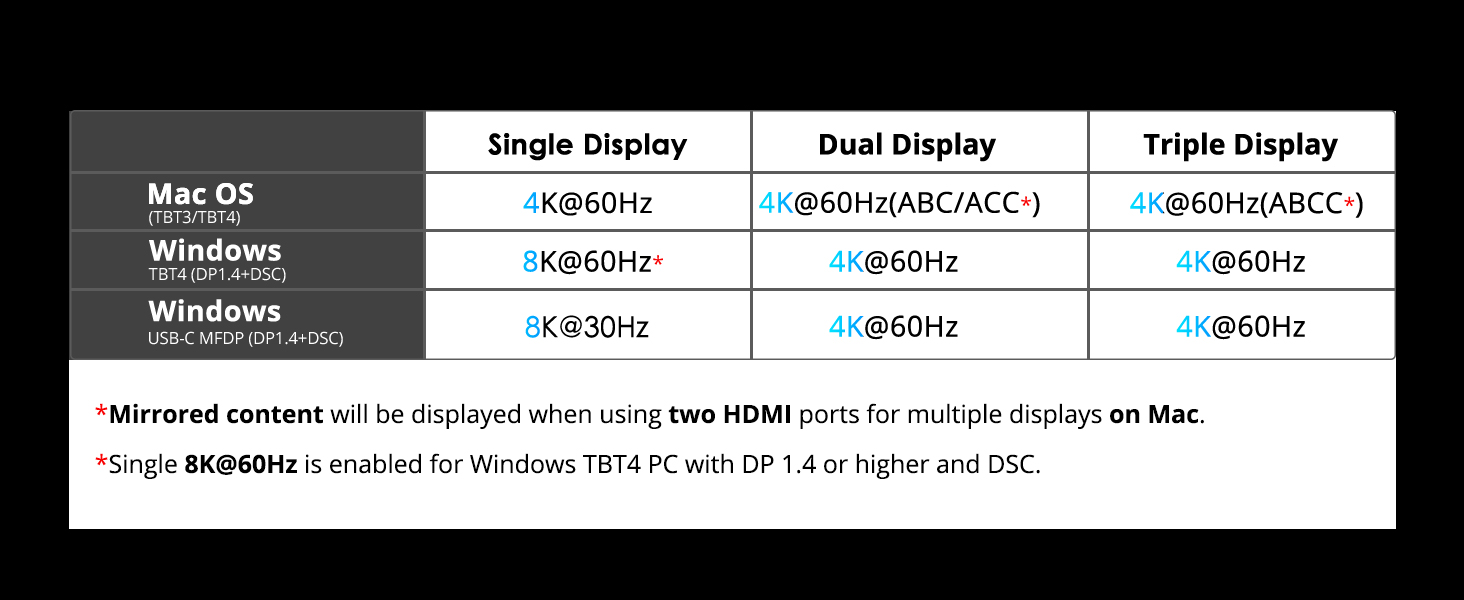
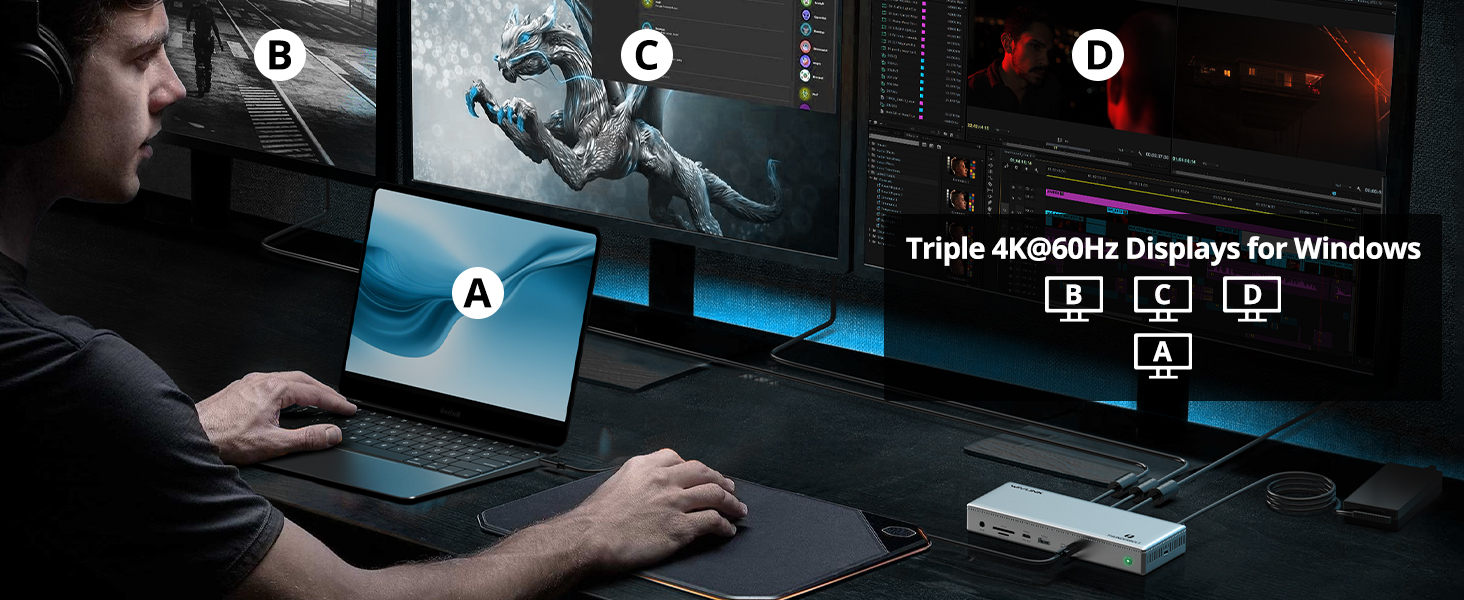
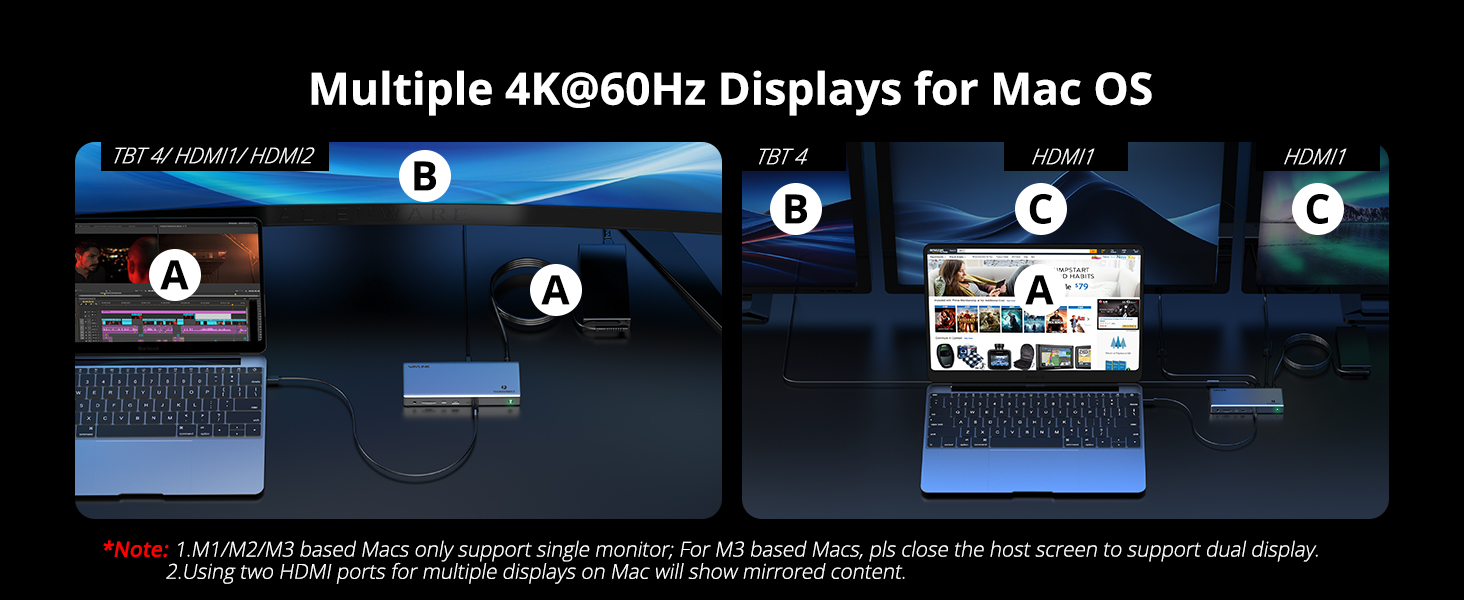
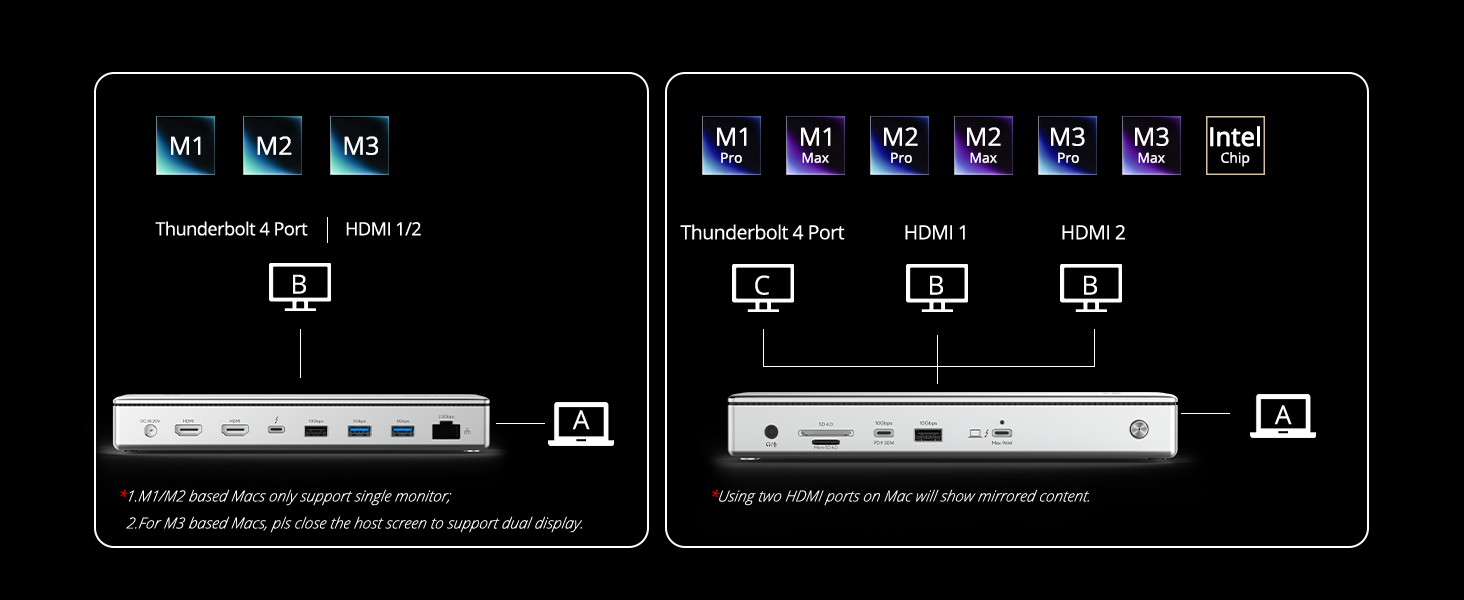
Two HDMI 2.1 ports and one Thunderbolt 4 downstream port drive up to three external monitors simultaneously. Resolution capabilities depend on your laptop's GPU and DisplayPort version. With a Thunderbolt 4 DP 1.4 DSC host: 8K@60Hz single, 4K@120Hz + 4K@60Hz dual, or triple 4K@60Hz. Mac users: macOS does not support MST — triple-display support varies by model. Both extended and mirrored modes are supported on Windows and Mac.

96W Charging — Full Speed, Even Under Load

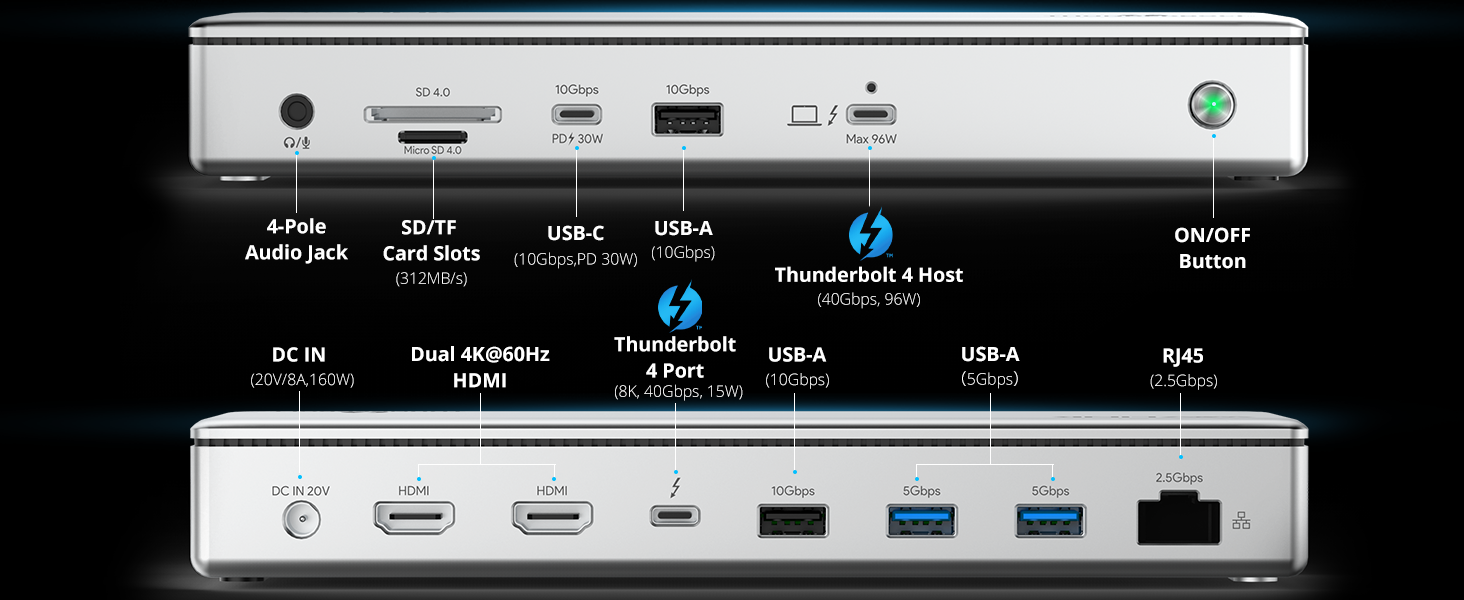
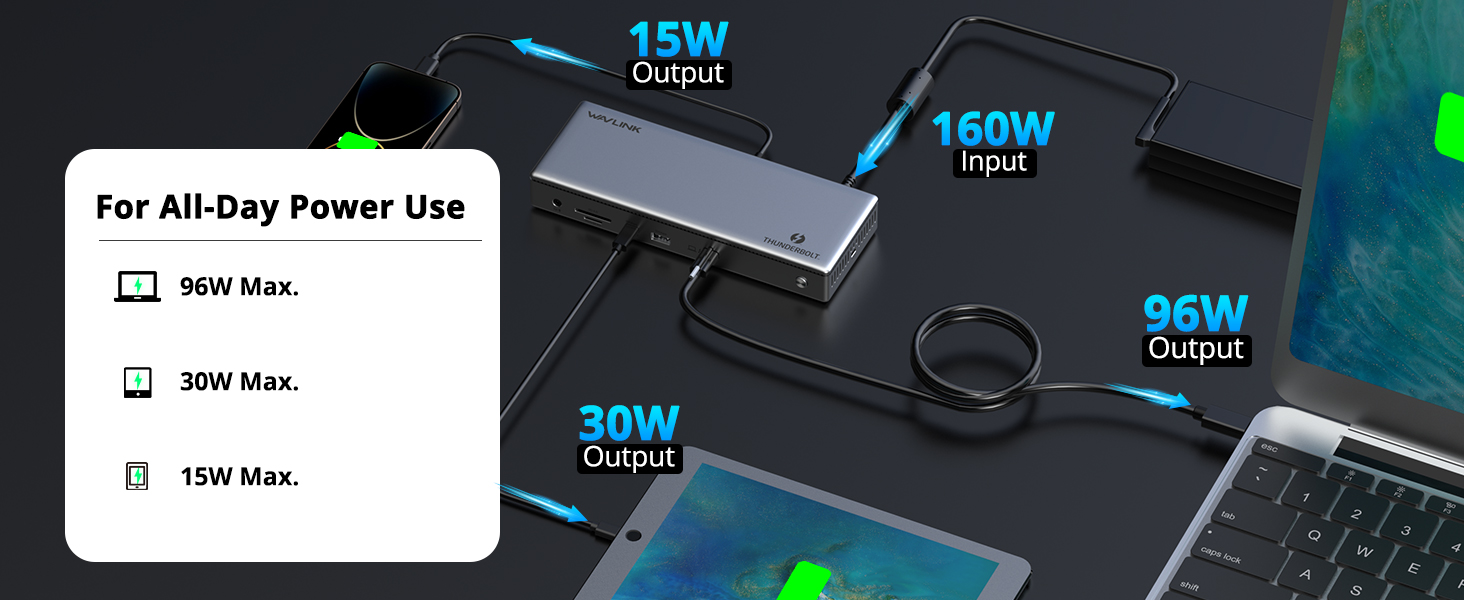
The Thunderbolt 4 upstream port delivers 96W Power Delivery to your laptop — enough to fast-charge a 16-inch MacBook Pro while driving three displays and powering every USB port. The 160W external power adapter ensures the dock never throttles due to power constraints. The front USB-C port provides an additional 30W downstream charging for phones, tablets, or earbuds. The downstream Thunderbolt 4 port supports 15W device charging.

2.5 Gigabit Ethernet — Faster Than Gigabit

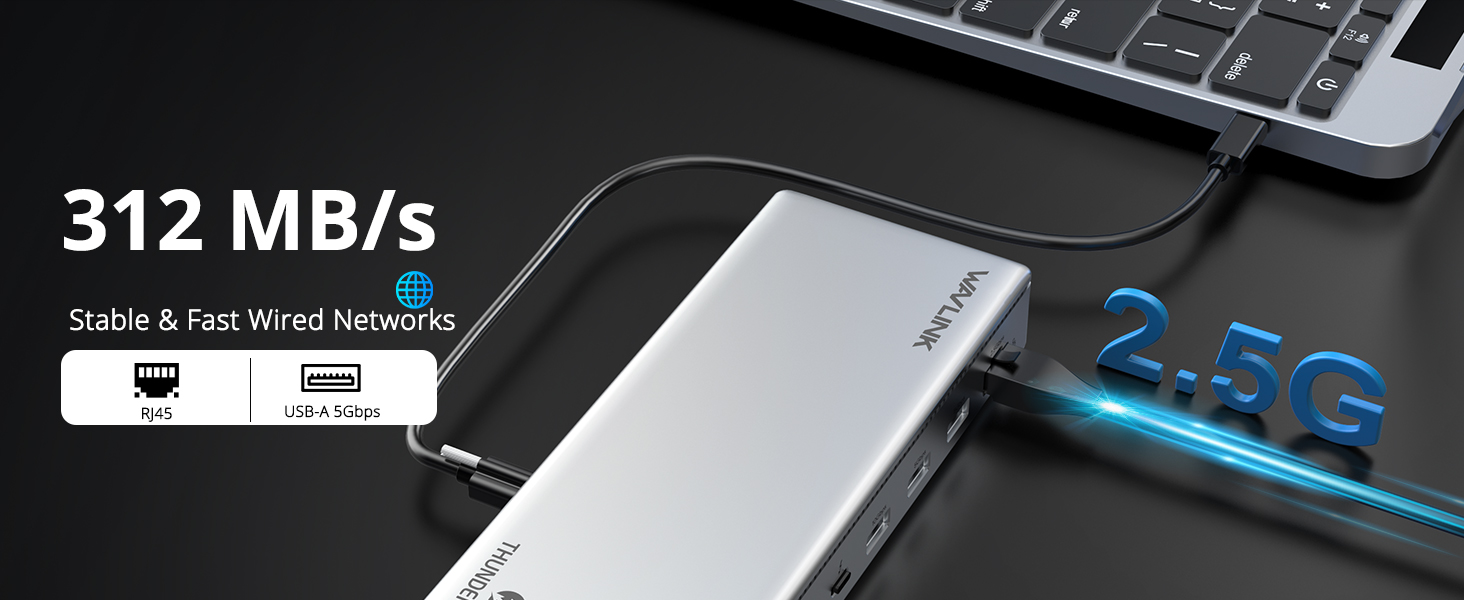
Standard docks ship with 1GbE. The UTD45 gives you 2.5GbE — transfer large project files to your NAS 2.5× faster, enjoy lower latency for remote desktop and cloud workloads, and future-proof your setup as multi-gig networking becomes standard. Backward compatible with 10/100/1000Mbps networks. The RJ45 port supports Wake-on-LAN and PXE boot.

10Gbps USB — NVMe Speeds, No Bottlenecks

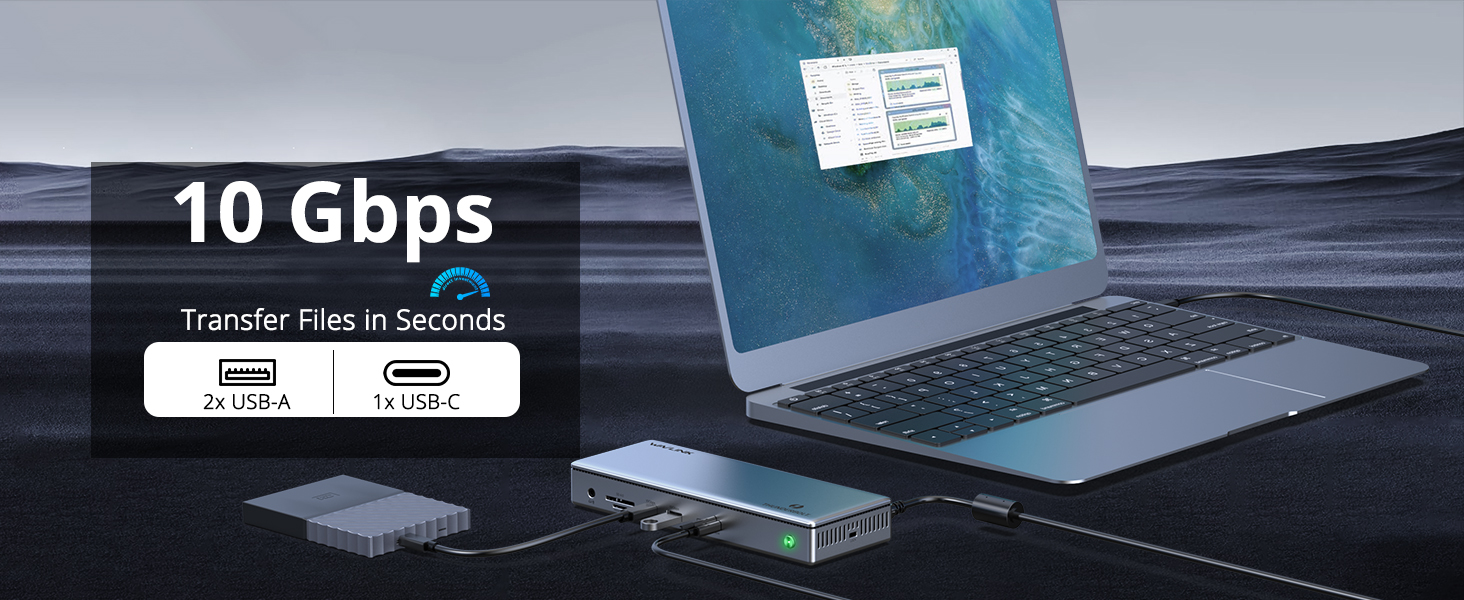
Two USB-A 10Gbps ports and one USB-C 10Gbps port provide full-speed access to external SSDs, high-resolution webcams, and other high-bandwidth peripherals. Two additional USB-A 5Gbps ports handle keyboards, mice, and printers. The Thunderbolt 4 downstream port supports 40Gbps devices, daisy-chaining, or an additional display.

Aluminum Build — Cool, Quiet, Professional

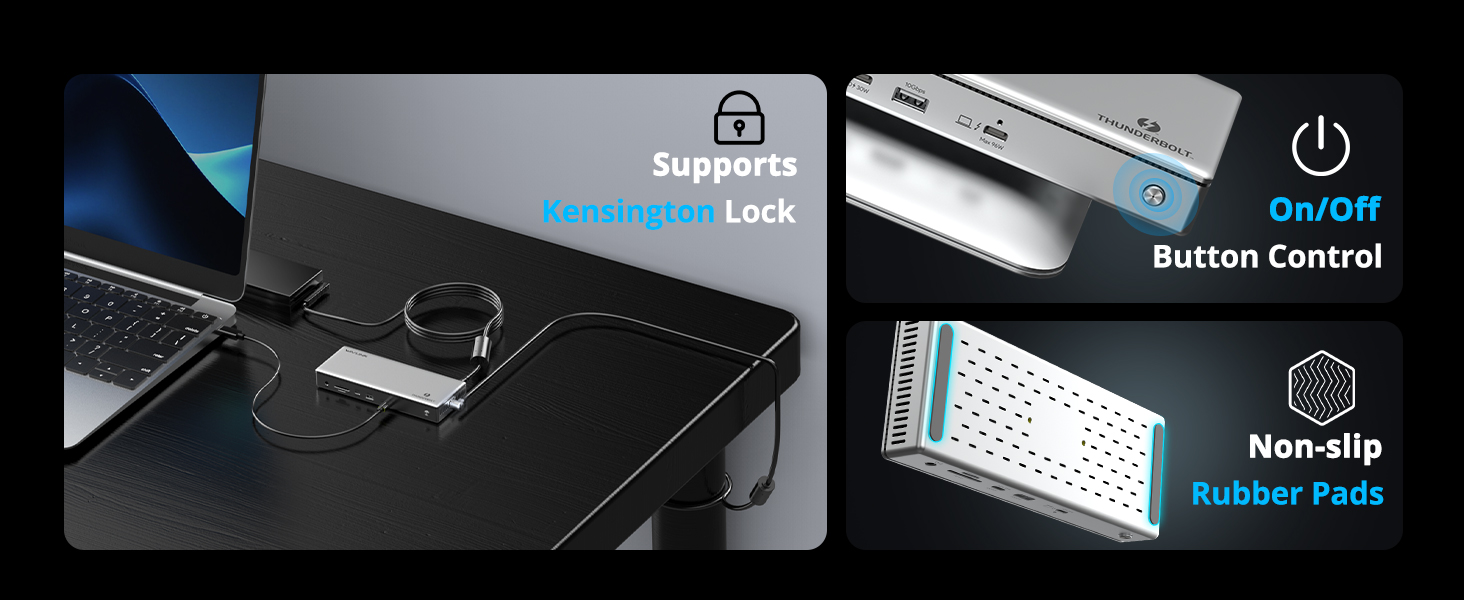
The aluminum enclosure acts as a passive heatsink, dissipating heat without a fan — silent operation on your desk. Integrated ON/OFF button lets you power down the dock without unplugging. Dimensions are compact enough to sit vertically or horizontally alongside your laptop. Compatible with Kensington lock for physical security in shared workspaces.

Specifications

Model WL-UTD45
Connection Thunderbolt 4, 40Gbps upstream, 96W PD 3.0
Video 2×HDMI 2.1 + 1×TB4 downstream, up to triple 4K@60Hz / 8K@60Hz single
USB 2×USB-A 10Gbps + 2×USB-A 5Gbps + 1×USB-C 10Gbps (30W PD) + 1×TB4 (15WEthernet2.5GbE RJ45 (NBASE-T, 10/100/1000/2500Mbps)Card ReaderSD + TFAudioTRRS 4-pole jack (headphone + microphone)Power Adapter160W DC (20V/8A), brick styleMaterialAluminumCompatibilityThunderbolt 4: MacBook Pro (2021+), Windows (Dell XPS, Thin3 at reduced bandwidth

What's in the Box

  • 1 × UTD45 Thunderbolt 4 13-in-1 Docking Station
  • 1 × 160W DC Power Adapter
  • 1 × Thunderbolt 4 Cable (40Gbps, 100W PD)
  • 1 × Quick Start Guide


Ask Question About Product

Note: HTML is not translated!
Dock station
AudioTRRS 4-pole phone jack (headphone + mic)
CompatibilityThunderbolt 4 laptops (MacBook Pro, Dell XPS, ThinkPad, etc.); Thunderbolt 3 at reduced bandwidth
ConnectionThunderbolt 4 (40Gbps upstream)
Ethernet 2.5GbE RJ45 (NBASE-T)
Max Resolution 8K@60Hz (single) / 4K@120Hz + 4K@60Hz (dual) / triple 4K@60Hz
Power Adapter160W DC (20V/8A), brick style
Power Delivery96W PD 3.0 to laptop
SD CardSD + TF (microSD)
USB ports2×USB-A 10Gbps + 2×USB-A 5Gbps + 1×USB-C 10Gbps (30W PD) + 1×TB4 downstream (15W PD)
Video Outputs 2×HDMI 2.1 + 1×Thunderbolt 4 downstream, up to triple 4K
Networking
MaterialAluminum
  • All(0)
  • Good(0)
  • Fair(0)
  • Poor(0)
  • Image(0)

Frequently Asked Questions

Will this dock work with my MacBook Pro? What about Windows laptops?
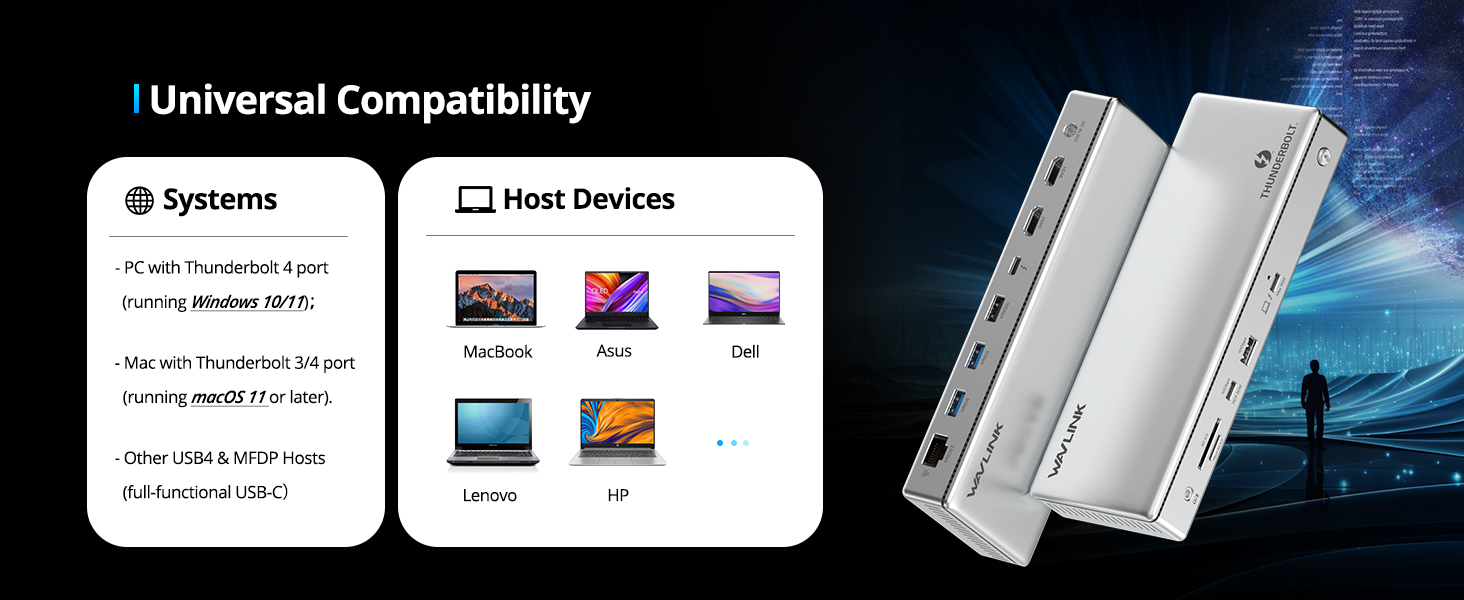
The UTD45 requires a Thunderbolt 4 port. It is fully compatible with Thunderbolt 4 MacBook Pro models (2021 and later, including M1 Pro/Max, M2, M3, M4) and Thunderbolt 4 Windows laptops (Dell XPS, Lenovo ThinkPad, HP EliteBook, etc.). It also works with Thunderbolt 3 ports at reduced bandwidth. USB-C-only ports (non-Thunderbolt) are not supported — if your laptop has a standard USB-C port without the Thunderbolt symbol, this dock will not function. Check for the lightning-bolt icon next to your USB-C port.
How many external monitors can I connect, and at what resolution?
The UTD45 supports up to three external displays via 2×HDMI + 1×Thunderbolt 4 downstream port. With a Thunderbolt 4 host (DP 1.4 with DSC):
- Single display: up to 8K@60Hz or 4K@120Hz
- Dual displays: 4K@120Hz + 4K@60Hz
- Triple displays: 4K@60Hz + 2×4K@120Hz (Windows) / 3×4K@60Hz (Mac)
Mac does not support MST, so triple-display behavior depends on the specific Mac model and macOS version.
Does it charge my laptop? How fast?
Yes. The Thunderbolt 4 upstream port delivers 96W Power Delivery (PD 3.0), enough to fast-charge a 16-inch MacBook Pro or any Thunderbolt 4 laptop while running multiple displays and peripherals at full load. The dock itself is powered by a 160W external brick, so there's plenty of power budget — your laptop charges at full speed even when every port is in use. The front USB-C port also provides 30W downstream charging for phones or tablets.
What Ethernet speed does this dock support? Is it faster than Gigabit?
The UTD45 features a 2.5 Gigabit Ethernet port — 2.5× faster than standard Gigabit. If your network switch or router supports 2.5GbE (NBASE-T), you'll get up to 2500Mbps wired throughput. The port is backward compatible with 10/100/1000Mbps networks. This is a key differentiator from most USB-C docks that only offer 1GbE — important for large file transfers, NAS access, and low-latency remote work.
What makes Thunderbolt 4 better than a USB-C dock? Is it worth the price difference?
Thunderbolt 4 delivers 40Gbps total bandwidth — 4× the bandwidth of a standard USB-C 10Gbps dock. This means you can run triple 4K displays at 60Hz+ while simultaneously transferring files at NVMe speeds over 10Gbps USB ports, all through a single cable, without bottlenecks. USB-C docks typically cap at dual 4K@30Hz and slow down when multiple ports are active. If you drive multiple high-resolution displays and move large files regularly (video editing, 3D rendering, data science), Thunderbolt 4 is worth it. If you only need dual 1080p monitors and basic USB peripherals, a USB-C dock may suffice.
What's included in the box?
- 1 × UTD45 Thunderbolt 4 13-in-1 Docking Station
- 1 × 160W DC Power Adapter (20V/8A)
- 1 × Thunderbolt 4 Cable (40Gbps, 100W PD capable)
- 1 × Quick Start Guide

You'll need to provide: nothing — the included Thunderbolt 4 cable handles both video and charging. If you need a longer cable, ensure any replacement is Thunderbolt 4 certified (40Gbps, 100W PD).

New posts

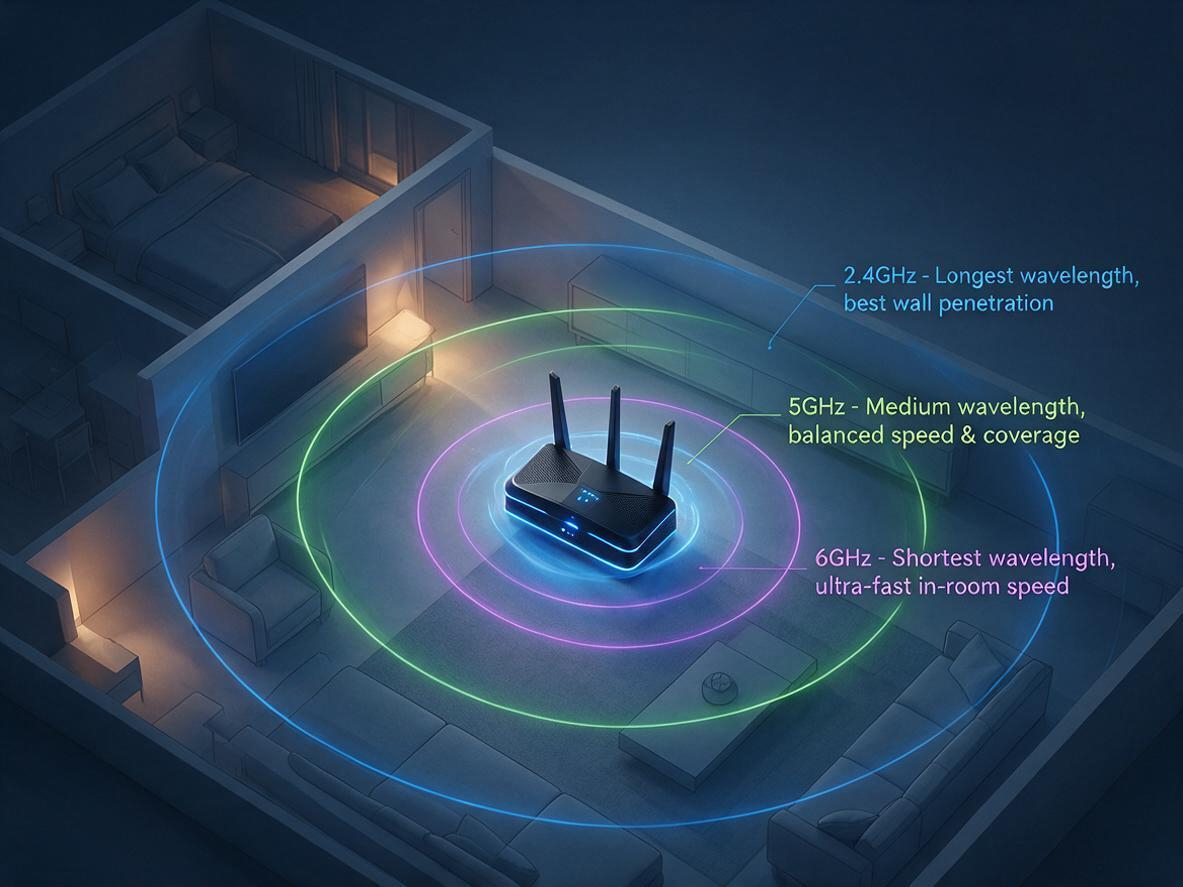
2.4GHz vs 5GHz vs 6GHz: Which WiFi Band Should You Use?
07/17
2026

Your router broadcasts on 2.4 GHz, 5 GHz, and 6 GHz at the same time — but your phone, laptop, and T
Fix Your Slow WiFi: 3 Free Tweaks That Take 2 Minutes Each
07/17
2026

Is your WiFi slow because of your router — or just bad placement? Before you blame your internet pla

WiFi 5 vs WiFi 6: Key Differences, Range & Which to Choose  TP-Link Or Wavlink
10/09
2025

Confused about WiFi 5 vs WiFi 6? Explore the key differences in speed, range, and efficiency. Learn

Why 95% of Outdoor WiFi Equipment Leaks? How a 30-Cent Fix Solves a $300 Problem
05/21
2025

Discover why 95% of outdoor WiFi systems fail from water damage and how a 30¢ physics hack using cab

WiFi 5 vs WiFi 6: Which Technology Should You Choose for Superior Connectivity?
04/29
2025

This technical analysis compares WiFi 5 and WiFi 6, highlighting critical advancements in speed (9.6

If the price of the product is reduced within 30 days, we will notify you via email, SMS and mobile client~
Notify you when the item is below the price
Mobile phone number
Email address
If the goods arrive within 30 days, we will notify you via email, SMS and mobile client~
Mobile phone number
Email address

Track shipment information

Track orders with order#
Guests: Save/copy order#
for tracking.

Sample:20240429683826
Checkin successfully
Get bonus points:
My Points
Signed in Day
Checkin Record
Time Points Detailed description